Going abroad from a Pacific Northwest university? Your US phone plan probably won't work. Here's the complete guide to staying connected overseas: eSIM strategy, local SIMs, country tips, and what to do before you leave.
You got the acceptance email. You’re going abroad. Maybe it’s a quarter in London through UW, a semester in Barcelona through UO, or a summer language program in Tokyo through one of the many PNW universities that send students overseas every year. The excitement is real and it should be. Studying abroad is one of the most valuable experiences you can have in college.
But somewhere between booking your flight and figuring out your housing, you’ll run into a question that catches most students off guard: what do I do about my phone?
This matters more than you think. Your phone is your map, your translator, your camera, your connection to family back home, your boarding pass, your banking app, and your group chat with the friends you’re traveling with. Losing reliable phone service when you land in a foreign country isn’t just inconvenient. It can be genuinely stressful, especially in those first few days when everything is new and you’re navigating an unfamiliar city.
The good news is that with a little planning, staying connected abroad is entirely manageable and much cheaper than you’d expect. This guide covers everything PNW students need to know about phone plans and study abroad, from what to do before you leave to what to do when you land, and how to handle coming back.
The Problem: US Phone Plans and International Travel
Let’s start with the bad news, because understanding the problem is half the battle.
Most US phone plans are designed for domestic use. When you leave the country, one of three things happens:
Scenario 1: Insane Roaming Charges
Your phone connects to a foreign network and your carrier charges you international roaming rates. These rates are brutal. We’re talking $2 to $5 per minute for calls, $0.50 per text, and $10 to $20 per megabyte of data. A single day of normal phone use could run you $50 to $100 or more. Students have come home to four figure phone bills after a semester abroad because they didn’t understand how roaming worked.
Scenario 2: It Just Doesn’t Work
Some cheaper plans simply don’t include international roaming at all. You land, your phone searches for a network, and nothing happens. No calls, no texts, no data. You’re holding a very expensive camera that can’t do anything else until you find Wi-Fi.
Scenario 3: The Expensive Add On
Some carriers offer international packages you can add to your plan. T-Mobile includes basic international data on some plans (but at painfully slow 2G speeds). Verizon offers TravelPass at $10 per day. AT&T has International Day Pass at $12 per day. These sound reasonable until you do the math: $10 per day for a 90 day quarter abroad is $900. For a semester, you’d spend over $1,500 just on your phone. That’s more than many students spend on flights.
None of these scenarios are good. And the worst part is that most students don’t find out which scenario applies to them until they’re already on the plane or standing in a foreign airport trying to call their host family.
Why No Contract Plans Are Perfect for Study Abroad
This is where the structure of your phone plan matters enormously. If you’re on a traditional carrier with a contract or device payment plan, your options are limited. You’re locked in. You can’t pause, you can’t cancel without penalties, and you’re paying full price for a US plan you’re not using while you’re overseas.
No contract plans change this equation entirely.
With a no contract carrier like World Mobile, you have complete flexibility:
Before you leave: You can cancel your US plan entirely, knowing you can sign up again the moment you return. There are no termination fees, no reactivation fees, no penalties of any kind. You stop paying the day you cancel and start paying again only when you’re ready.
While you’re abroad: You’re not paying for a US phone plan you’re not using. That’s $15 to $55 per month you’re saving, depending on your plan, which adds up to real money over a quarter or semester abroad.
When you come back: You sign up again in about five minutes through eSIM. Same coverage, same features, same price. You can even port your old number back if you kept it (more on that strategy below).
This flexibility alone makes no contract plans the obvious choice for any student who might study abroad. And honestly, every college student might study abroad. Life changes fast. A no contract plan keeps your options open.
If you’re not already on a flexible plan, check out our guide to affordable plans for PNW students to see what’s available.
The Dual SIM Strategy: The Smart Way to Stay Connected Abroad
Here’s the approach that experienced travelers and study abroad veterans recommend. It’s called the dual SIM strategy, and it’s the single best way to handle phone service when you’re living in another country.
The concept is simple: use two SIM profiles on one phone. One keeps your US number alive. The other gives you a local phone number and data plan in your destination country.
How It Works
Modern phones support two SIM profiles simultaneously. If your phone has an eSIM slot (which most phones made after 2019 do), you can have:
- Your US number on eSIM running on a minimal plan, keeping your number active for incoming texts and calls
- A local SIM card from your destination country, giving you cheap local data, calls, and texts
Your phone handles both at the same time. You choose which one to use for calls, texts, and data. In practice, you’d set your local SIM as the default for everything (since it’s cheaper) and keep your US eSIM active just for receiving important texts and calls from home.
Why This Is Better Than Any Other Approach
Cheaper than roaming: A local SIM in most European countries costs $10 to $30 per month for generous data. Compare that to $10 per day for Verizon TravelPass.
You keep your US number: Banks, two factor authentication codes, family members, your university, they all have your US number. Losing access to it while abroad creates real problems. The dual SIM approach keeps it alive.
Local calls are free or cheap: Need to call your landlord, your university’s local office, or a restaurant to make a reservation? With a local number, those calls are domestic rates instead of international rates.
You get real data speeds: Local plans give you 4G or 5G speeds. International roaming plans from US carriers often throttle you to 2G speeds (128 kbps), which is barely enough to load a text based webpage, let alone use maps or video call your family.
What You Need
Your phone needs to support eSIM and be unlocked. Here’s a quick compatibility check:
| Phone | eSIM Support | Notes |
|---|---|---|
| iPhone XR and newer | Yes | All models from 2018 onward |
| iPhone 14 US models and newer | Yes (eSIM only) | No physical SIM tray on US models |
| Samsung Galaxy S20 and newer | Yes | Check settings to confirm |
| Google Pixel 3 and newer | Yes | All recent Pixels |
| OnePlus | Varies by model | Check your specific model |
Is your phone unlocked? If you bought it outright or finished paying it off, it should be. If you’re unsure, check with your current carrier before your trip. This is important: a locked phone will not accept a foreign SIM card. Get this sorted weeks before departure, not at the airport.
How eSIM Makes Everything Easier
eSIM is the technology that makes the dual SIM strategy practical. Instead of a tiny physical chip you insert into your phone, an eSIM is a digital profile that’s downloaded to your phone. You can activate it by scanning a QR code, and your phone treats it exactly like a physical SIM.
Here’s why eSIM is a game changer for study abroad students:
Instant activation: You can set up a new eSIM in minutes, from anywhere. No need to find a phone store in a foreign city where you don’t speak the language.
Switch between profiles easily: Your phone lets you toggle between your US eSIM and your local SIM with a few taps in settings.
No risk of losing a tiny card: Physical nano SIM cards are incredibly small and easy to lose. An eSIM can’t fall out, get damaged, or disappear in the bottom of your luggage.
Set it up before you land: Many carriers (including World Mobile) deliver your eSIM via QR code. You can set up your US plan on eSIM before you even leave, freeing up the physical SIM slot for a local card when you arrive.
World Mobile plans come with eSIM activation on every tier, from the $15 Starter to the $55 Unlimited+. If you’re setting up a flexible US plan before your trip, eSIM activation means you’re ready in minutes with no store visit and no waiting for a card in the mail.
Country Specific Tips for Popular Study Abroad Destinations
PNW universities send students all over the world, but certain destinations come up again and again. Here’s what you need to know about phone service in the most popular study abroad countries for UW, UO, OSU, WSU, and other Pacific Northwest schools.
United Kingdom
Popular programs: UW in London, UO in London, PSU exchange programs
Local SIM options: The UK has some of the cheapest and best prepaid phone plans in the world. You can walk into almost any convenience store or phone shop and buy a SIM card.
| Carrier | Data | Monthly Cost | Notes |
|---|---|---|---|
| Three (3) | Unlimited | ~$25/mo | Excellent coverage, includes EU roaming |
| Giffgaff | 35GB | ~$13/mo | No contract, order SIM online before you go |
| Voxi (Vodafone) | 45GB | ~$13/mo | Social media doesn’t count toward data cap |
| EE | 25GB | ~$20/mo | Fastest UK network |
Tips: Giffgaff is the favorite among American study abroad students because you can order the SIM card to your US address before you leave, or to your UK accommodation. It arrives activated and ready to use. Three is excellent if you plan to travel around Europe during your time abroad, since their plans include roaming across EU countries at no extra charge.
Spain
Popular programs: UO in Oviedo, UW in Sevilla, various third party programs in Barcelona and Madrid
Local SIM options:
| Carrier | Data | Monthly Cost | Notes |
|---|---|---|---|
| Orange Prepago | 25GB | ~$12/mo | Widely available, solid coverage |
| Vodafone Yu | 25GB | ~$17/mo | Good coverage, young people focused brand |
| Lycamobile | 12GB | ~$10/mo | Budget option, international calls included |
| Simyo | 16GB | ~$10/mo | Online only, very affordable |
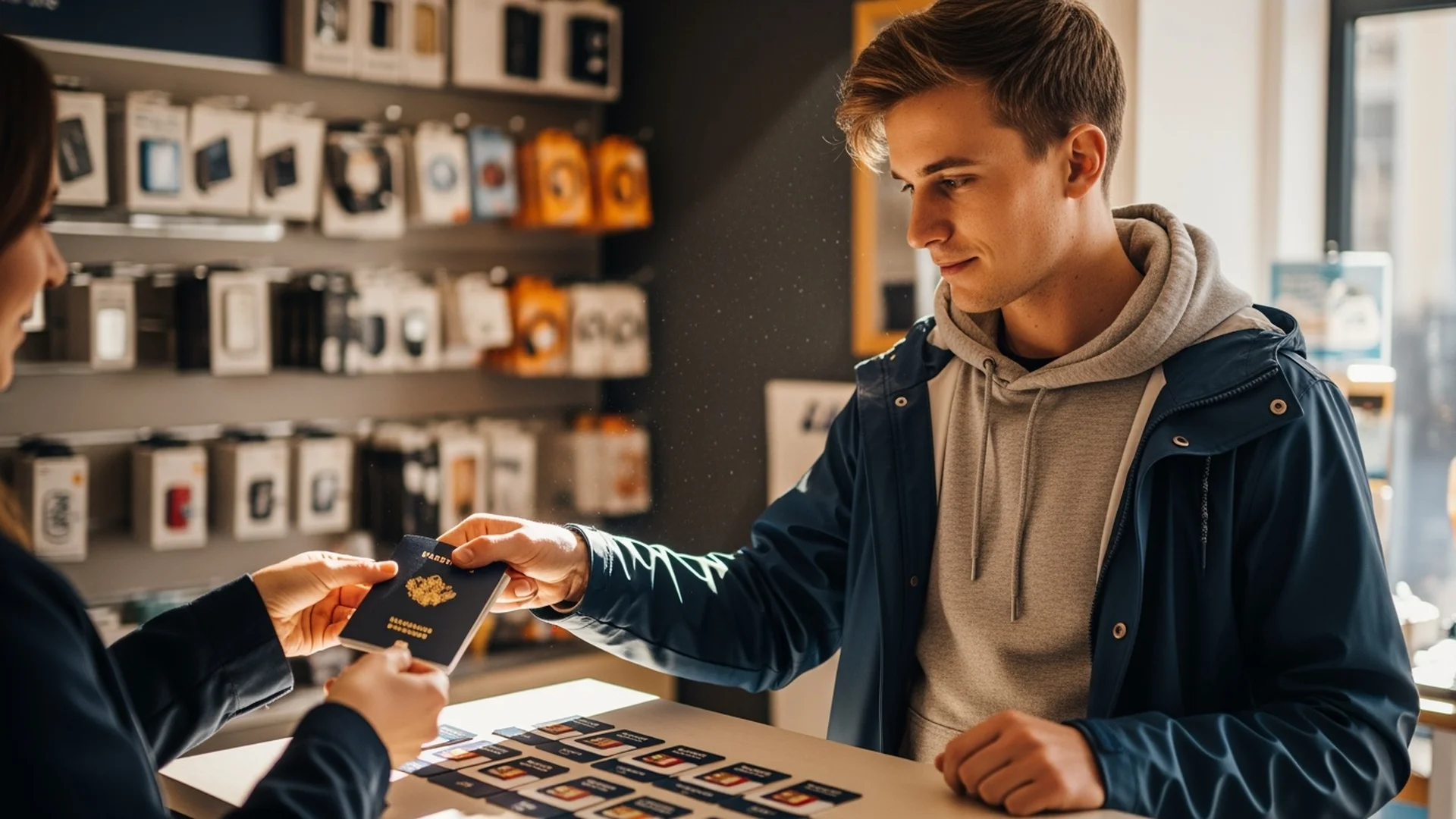
Tips: In Spain, you’ll need your passport to buy a SIM card (it’s a legal requirement for identity verification). Bring your passport to the store. Orange and Vodafone stores are everywhere in Spanish cities. If you’re in a smaller town, the local “estanco” (tobacco shop) sometimes sells prepaid SIMs as well.
Italy
Popular programs: UW in Rome, various programs in Florence and Milan
Local SIM options:
| Carrier | Data | Monthly Cost | Notes |
|---|---|---|---|
| Iliad | 150GB | ~$10/mo | Incredible value, newer carrier |
| TIM | 25GB | ~$10/mo | Largest Italian network |
| WindTre | 30GB | ~$10/mo | Solid urban coverage |
| Vodafone Italy | 25GB | ~$12/mo | Reliable nationwide |
Tips: Italy is one of the cheapest countries in Europe for mobile data. Iliad disrupted the market a few years ago with extremely aggressive pricing and everyone else had to lower their prices to compete. You can get 150GB of data for around $10 per month, which is absurdly cheap. TIM stores are the most common and the staff at locations near universities are usually accustomed to helping foreign students. Bring your passport and your Italian tax code (codice fiscale) if you have one; some carriers require it.
France
Popular programs: UW in Paris, various exchange programs in Lyon and Strasbourg
Local SIM options:
| Carrier | Data | Monthly Cost | Notes |
|---|---|---|---|
| Free Mobile | 110GB | ~$10/mo | Unbeatable value, most popular among expats |
| Orange Prepaid | 20GB | ~$10/mo | Best network quality |
| SFR | 50GB | ~$12/mo | Good balance of price and coverage |
| Bouygues | 40GB | ~$10/mo | Solid option with EU roaming |
Tips: Free Mobile is the go to for study abroad students in France. Their plans are absurdly generous for the price, and you can sign up at their automated kiosks (called “bornes”) found in shopping centers across France. The kiosks have an English language option. You’ll need your passport and a French bank account or international credit card. If you don’t have a French bank account yet, Orange prepaid SIMs are available at tabacs (tobacco shops) and newsagents without one.
Japan
Popular programs: UW exchange programs, various third party providers
Local SIM options:
| Carrier | Data | Monthly Cost | Notes |
|---|---|---|---|
| IIJmio | 15GB | ~$13/mo | Popular among foreign residents |
| Mobal | 10GB | ~$27/mo | Designed for foreigners, English support |
| Sakura Mobile | 50GB | ~$35/mo | Student friendly, English setup |
| Rakuten Mobile | Unlimited | ~$20/mo (at max tier) | Pay per use tiers, unlimited over 20GB |
Tips: Japan has historically been tricky for foreign visitors buying SIM cards, but it’s gotten much easier. Rakuten Mobile is gaining popularity because of their simple pricing structure. For short stays (under 90 days), consider a travel eSIM from providers like Ubigi or Airalo instead of a local SIM. For semester or year long stays, IIJmio offers good value and their sign up process is available in English online. You’ll need your residence card (zairyu card) for most carriers, which you receive when you arrive on a student visa.
Many convenience stores at Japanese airports also sell prepaid data SIMs from companies like BICSIM that you can grab the moment you land.
South Korea
Popular programs: UW exchange, various third party semester programs
Local SIM options:
| Carrier | Data | Monthly Cost | Notes |
|---|---|---|---|
| KT (Korea Telecom) | 10GB | ~$25/mo | Best coverage, foreign student plans available |
| SK Telecom | 5GB | ~$22/mo | Largest carrier |
| LG U+ | Unlimited | ~$30/mo | Good value for heavy users |
| Chingu Mobile | 15GB | ~$20/mo | Built for foreigners |
Tips: South Korea has some of the fastest mobile internet in the world. You can buy a tourist SIM at Incheon Airport immediately upon arrival (there are booths before you exit customs). For longer stays, KT offers specific plans for foreign residents and exchange students. You’ll need your passport and alien registration card (ARC), which you apply for after arriving. Until you get your ARC, a prepaid tourist SIM will bridge the gap. Korea is also extremely Wi-Fi friendly; nearly every coffee shop, restaurant, subway station, and convenience store has free Wi-Fi, so you may use less cellular data than you expect.
Australia
Popular programs: UW and UO exchange programs, various semester abroad providers
Local SIM options:
| Carrier | Data | Monthly Cost | Notes |
|---|---|---|---|
| Amaysim (Optus network) | 30GB | ~$18/mo | No contract, great coverage |
| Boost Mobile (Telstra network) | 25GB | ~$20/mo | Best rural coverage |
| Woolworths Mobile | 20GB | ~$17/mo | Budget option on Telstra network |
| Vodafone AU | 30GB | ~$20/mo | Good urban coverage |
Tips: Australia is straightforward for phone setup. You can buy SIM cards at the airport, at convenience stores, or at dedicated phone shops in any mall. Boost Mobile is recommended if you plan to travel outside of major cities (which you should, because Australia is incredible), since it uses the Telstra network which has the best rural and outback coverage. Identity verification is required; bring your passport. Prices are in Australian dollars, so they’re slightly cheaper than they appear when converted to USD.
International Calling on the World Mobile Unlimited Plan
Before we move on to checklists and logistics, it’s worth highlighting a feature that’s particularly relevant for study abroad students staying in touch with family.
The World Mobile Unlimited plan ($40/month) and Unlimited+ plan ($55/month) include international calling to 60 countries at no extra charge. This means if you keep your World Mobile plan active while abroad (even on the minimal side), your family back home in the Pacific Northwest can call international numbers in those 60 countries without paying per minute charges.
More practically, this matters for the period before and after your trip. If you have family members overseas and you’re calling them regularly from the US, the Unlimited plan eliminates the need for a separate international calling add on.
For families with students abroad, here’s a smart setup:
- The student cancels their US plan before departure (saving $15 to $55/month) and gets a local SIM abroad
- The parent or family member at home stays on or switches to the World Mobile Unlimited plan ($40/month)
- The parent can call the student’s local foreign number for free if the country is in the 60 country list
- The student uses WhatsApp, FaceTime, or other Wi-Fi calling apps to call home for free
This combination means the family stays connected without either party paying international calling surcharges.
Want to see all the plan options? Check out hexymobile.com or visit the student plans page for school specific recommendations.
What to Do Before You Leave: The Complete Checklist
Preparation is everything. Handle these items in the weeks before your departure and you’ll avoid every common phone related headache that study abroad students face.
4 to 6 Weeks Before Departure
1. Check that your phone is unlocked
Call your current carrier or check your phone settings. If your phone is locked to a specific carrier, it will not accept a foreign SIM card. Most carriers will unlock your phone for free if you’ve paid it off. If you still owe money on the device, you’ll need to pay the remaining balance to get it unlocked. Do not wait until the last minute for this; some carriers take up to two weeks to process an unlock request.
2. Confirm your phone supports eSIM
Go to Settings on your iPhone or Android device and look for the eSIM or cellular plan options. If you see an option to add a cellular plan or scan a QR code, your phone supports eSIM. This is important for the dual SIM strategy.
3. Back up your phone completely
Do a full backup to iCloud, Google Drive, or your computer. If anything goes wrong with your phone abroad, you want to be able to restore everything. This includes photos, contacts, app data, and messages.
4. Research local SIM options in your destination country
Use the country guides above as a starting point. Look at which carriers are recommended, what prices look like, and whether you can order a SIM before you leave (Giffgaff in the UK, for example, ships internationally).
5. Download offline maps
In Google Maps or Apple Maps, download the offline map for your destination city and surrounding area. This works without any data connection and will be a lifesaver in those first hours when you haven’t set up local service yet.
1 to 2 Weeks Before Departure
6. Decide your phone plan strategy
You have three main options:
| Strategy | Best For | What You Do |
|---|---|---|
| Cancel and restart | Budget conscious students, shorter trips | Cancel US plan, get local SIM abroad, sign up again when you return |
| Keep on minimal plan | Students who need their US number active | Downgrade to cheapest plan ($15/mo), use local SIM for data |
| eSIM travel provider | Short trips (under 30 days) | Buy a travel eSIM from Airalo or similar for data abroad |
For a quarter or semester abroad, Option 1 or 2 is usually the smartest move. If you’re on World Mobile, you can cancel and restart with zero penalty, making Option 1 especially attractive.
7. Notify your bank
Tell your bank and credit card companies that you’ll be traveling internationally. Set up travel notices so your cards don’t get frozen for “suspicious activity” when you make purchases abroad. Also check whether your bank charges foreign transaction fees and consider getting a card that doesn’t (the Charles Schwab debit card and many travel credit cards waive these fees).
8. Set up Wi-Fi calling apps
Install WhatsApp, FaceTime, or Signal on your phone and make sure your family has them too. These apps let you make free voice and video calls over Wi-Fi, regardless of what SIM card is in your phone. Test them with your family before you leave so everyone knows how they work.
9. Enable two factor authentication alternatives
Many apps and services send verification codes via SMS to your US number. If you’re canceling your US plan, you need alternatives. Switch to an authenticator app (Google Authenticator, Authy, or the built in one in your password manager) for as many accounts as possible. For accounts that only support SMS verification, make sure you’ll have a way to receive those texts (either by keeping your US number active on a minimal plan, or by using a service like Google Voice).
10. Set up Google Voice (optional but recommended)
Google Voice gives you a free US phone number that receives calls and texts over the internet. If you cancel your World Mobile plan while abroad, you can forward your World Mobile number to Google Voice first, or simply give your Google Voice number to important contacts. This way you have a working US number accessible anywhere you have Wi-Fi or data.
The Day Before Departure
11. Download entertainment for the flight
Download movies, music, podcasts, and ebooks for the flight. You won’t have data on the plane (or if you do, airplane Wi-Fi is expensive and slow).
12. Screenshot important information
Take screenshots of your housing address, host family contact info, program coordinator’s number, airport transfer instructions, and your accommodation’s Wi-Fi password if you have it. Save these to your phone’s photo library so they’re accessible without internet.
13. Charge everything
Phone, portable battery pack, laptop, earbuds. A fully charged phone with offline maps and screenshots gets you from the airport to your accommodation without needing any data at all.
What to Do When You Arrive: Getting a Local SIM
You’ve landed. You’re through customs. Here’s what to do next.
At the Airport
Many international airports have SIM card vendors in the arrivals area. These are convenient but sometimes slightly overpriced compared to getting a SIM in the city. Whether to buy at the airport or wait depends on your comfort level:
Buy at the airport if: This is your first time in the country, you’re arriving late at night, you don’t speak the local language, or you need data immediately to navigate to your accommodation.
Wait and buy in the city if: You’re comfortable navigating without data (you downloaded offline maps, right?), you want a better deal, or your accommodation has Wi-Fi and you can research options once you arrive.
Buying Your Local SIM
The process varies by country but generally looks like this:
- Bring your passport. Almost every country requires identity verification to buy a SIM card. No passport, no SIM.
- Find the right store. In most European countries, carrier stores are on every major shopping street. In Asian countries, convenience stores and electronics shops often sell SIMs as well.
- Tell them you want a prepaid (pay as you go) SIM. You don’t want a contract. Use the word “prepaid” or “ricaricabile” (Italy), “prepago” (Spain), “prepaye” (France), or “puripedo” (Japan, though they’ll understand “prepaid”).
- Choose your plan. Refer to the country guides above. Pick a plan that gives you enough data for your needs. For most students, 10 to 25GB per month is plenty when combined with Wi-Fi at your accommodation and university.
- Insert the SIM and activate. The store staff will usually help you set everything up. If your phone prompts you to choose a default line for calls or data, set the local SIM as default for everything.
Setting Up Dual SIM (If You Kept Your US eSIM)
If you kept your US plan active on eSIM:
- Go to Settings, then Cellular (iPhone) or Network (Android)
- You should see both your US eSIM and the new local SIM listed
- Set the local SIM as default for cellular data, calls, and texts
- Keep your US eSIM active but set it to “data off” to avoid roaming charges
- Your US number will still receive texts and calls (via Wi-Fi calling if available)
First Day Priorities
Once you have a working local SIM:
- Text your family so they have your new local number
- Test your Wi-Fi calling apps (WhatsApp, FaceTime) to confirm they work
- Check Google Maps with live data to make sure navigation works
- Connect to your accommodation’s Wi-Fi and save the network
Staying Connected with Family Back Home: Best Practices
Homesickness is real, and staying in touch with family makes a huge difference. Here are the best ways to keep communication flowing without spending a fortune.
Free Options (Recommended)
WhatsApp: Works on both iPhone and Android. Free voice calls, video calls, and messaging over Wi-Fi or data. This is the single most popular communication tool for people living abroad. Make sure every family member has it installed and has used it at least once before you leave.
FaceTime: If everyone in your family uses Apple devices, FaceTime video and audio calls are free over Wi-Fi or data. The quality is excellent.
Signal: A privacy focused alternative that offers free encrypted calls and messages. Works on both iPhone and Android.
Facebook Messenger: Free voice and video calls. Many families already use this.
Google Duo / Google Meet: Free video calling that works across platforms.
Setting a Communication Routine
One of the best things you can do for yourself and your family is to establish a regular check in schedule. Something like “I’ll FaceTime every Sunday at 10 AM my time” gives everyone a touchpoint to look forward to and reduces the “are they okay?” anxiety on both sides.
Account for time zones. Here’s how popular study abroad destinations line up with Pacific Time:
| Destination | Time Difference from Pacific Time |
|---|---|
| London, UK | +8 hours |
| Paris / Barcelona / Rome | +9 hours |
| Tokyo, Japan | +17 hours (next day) |
| Seoul, South Korea | +17 hours (next day) |
| Sydney, Australia | +18 hours (next day) |
A 6 PM Sunday call in Seattle is 2 AM Monday in London. Plan accordingly. Many students find that morning calls (before class or work) for the person abroad tend to land in the evening for Pacific Time family, which works well for everyone.
Sharing Your Life Abroad
Beyond scheduled calls, there are lower effort ways to stay connected:
Shared photo albums: Create a shared album in Google Photos or iCloud that your family can view anytime. Drop photos in throughout the week so they can see what you’re up to without you having to narrate everything in real time.
Location sharing: Share your live location with a trusted family member through Google Maps or Apple’s Find My. This gives your parents peace of mind without requiring you to check in constantly.
Voice memos: When you see something cool but it’s 3 AM back home, record a quick voice memo and send it on WhatsApp. It’s more personal than a text and your family can listen when they wake up.

Coming Back: Reactivating Your US Service
The semester or quarter is over. You’re heading home to the Pacific Northwest. Here’s how to get your US phone service back up and running.
If You Cancelled Your Plan Before Leaving
This is the simplest scenario if you were on a no contract carrier like World Mobile.
- Before your flight home or as soon as you land, go to hexymobile.com on Wi-Fi
- Sign up for your plan again. Choose whichever tier fits your needs now. Remember, you get 50% off your first month as a new subscriber.
- Scan the eSIM QR code and follow the prompts to activate
- Port your old number if you still have access to it (through Google Voice or another service), or get a new number
The whole process takes about five minutes. By the time you’re through customs, you have full US service again.
If You Kept Your US eSIM Active
Even easier:
- Remove or disable your foreign SIM (go to Settings, then Cellular, and turn off the foreign line)
- Set your US eSIM as the default for calls, texts, and data
- That’s it. Your US service was running the whole time. You’re back.
Returning Your Foreign SIM
In most countries, prepaid SIMs simply expire if you stop adding credit. You don’t need to formally cancel anything. If you’re on a monthly plan, log into the carrier’s app or website and cancel before the next billing cycle. Keep the physical SIM card in a safe place; if you ever go back, you may be able to reactivate it.
Real Talk: What PNW Students Actually Experience
We’ve talked to dozens of students from UW, UO, OSU, WWU, and other PNW universities who’ve studied abroad. Here’s what they consistently say.
The Biggest Mistakes
Not unlocking their phone before leaving. This is the number one regret. Students arrive, try to buy a local SIM, and discover their phone is locked to Verizon or AT&T. The fix requires calling the carrier (international call, long hold times, often unsuccessful from abroad). Avoid this entirely by checking your unlock status weeks before departure.
Relying solely on Wi-Fi. Some students try to avoid getting a local SIM altogether and just use Wi-Fi everywhere. This works in your apartment or at your university, but it falls apart the moment you need to navigate somewhere new, contact someone urgently, or handle any situation that requires immediate connectivity. A local SIM with a few gigabytes of data costs $10 to $15 per month. It’s one of the best investments you can make abroad.
Not setting up two factor authentication alternatives. You cancel your US number, then try to log into your bank account and it sends a verification code via text to your old number. Now you’re locked out of your own bank account in a foreign country. Switch to app based authentication before you leave.
Waiting too long to buy a local SIM. Some students put it off for days, navigating with screenshots and asking strangers for directions. Just get a SIM on day one (at the airport if needed) and save yourself the stress.
The Best Advice
The dual SIM strategy works. Students who used eSIM for their US number and a local physical SIM for data consistently reported the smoothest experience. They had both numbers active, never lost access to verification codes, and spent very little money on phone service.
WhatsApp is essential. In Europe, Asia, and almost everywhere outside of North America, WhatsApp is the default messaging platform. Your host family will text you on WhatsApp. Your classmates abroad will have a WhatsApp group. Restaurants take reservations through WhatsApp. Install it before you leave and make it your primary communication app while abroad.
Download everything offline before you go. Maps, translation apps (Google Translate lets you download entire language packs for offline use), your accommodation address, emergency numbers, program coordinator contacts. Having all of this accessible without internet is invaluable in the first 24 hours.
The Money You’ll Save
Let’s look at the total phone related savings of handling this smartly versus the common approach.
The Expensive Way
| Expense | Cost |
|---|---|
| Keeping Verizon plan active during 4 month study abroad | $260 ($65/mo) |
| Verizon TravelPass for 120 days | $1,200 ($10/day) |
| Total | $1,460 |
The Smart Way
| Expense | Cost |
|---|---|
| Cancel World Mobile before departure (no penalty) | $0 |
| Local SIM abroad for 4 months | $40 to $80 |
| Sign up for World Mobile again when you return (50% off first month) | $7.50 to $27.50 |
| Total | $47.50 to $107.50 |
That’s a savings of $1,352 to $1,412 on phone service alone. Enough for a round trip flight within Europe, a weekend in another country, or a significant portion of your food budget abroad.
Even if you choose to keep a minimal $15/month World Mobile plan active for your US number while abroad, the math still works out dramatically in your favor:
| Expense | Cost |
|---|---|
| World Mobile Starter during 4 months abroad | $60 ($15/mo) |
| Local SIM abroad for 4 months | $40 to $80 |
| Total | $100 to $140 |
Still over $1,300 cheaper than the Verizon TravelPass approach.
PNW Universities with Popular Study Abroad Programs
If you’re still deciding whether to study abroad, or you’re exploring programs, here are the major PNW schools and their study abroad offerings. Every university listed below sends hundreds or thousands of students abroad each year.
University of Washington (UW): One of the largest study abroad programs in the country. UW sends students to over 70 countries through their own programs and third party providers. Popular destinations include London, Rome, Barcelona, and various locations in Japan and South Korea. The UW Study Abroad office on campus is an excellent starting resource.
University of Oregon (UO): Strong study abroad participation, especially in Europe. UO has programs in Oviedo (Spain), London, Rome, and partnerships across Asia and South America. The Global Education Oregon (GEO) office manages all programs.
Oregon State University (OSU): OSU International Programs sends students worldwide, with popular options in Europe, Australia, and East Asia. Engineering and science students often choose programs in the UK, Germany, or Japan that align with their coursework.
Washington State University (WSU): WSU Education Abroad offers programs across Europe, Asia, and Australia. Popular choices include semester exchanges in the UK, South Korea, and Australia.
Western Washington University (WWU): WWU National Student Exchange and international programs send students to destinations across Europe and Asia. The smaller campus size means more personalized advising for study abroad planning.
Portland State University (PSU): PSU Education Abroad offers strong exchange partnerships, particularly in Europe and Latin America. As a commuter school with many working students, PSU’s shorter summer programs abroad are especially popular.
Gonzaga University: Gonzaga’s study abroad programs have a strong reputation, with their Florence, Italy campus being one of the most popular. They also offer programs in Zambia, Australia, and throughout Europe.
Seattle University: Seattle U sends students abroad through a mix of their own programs and approved third party providers. London, Belize, and various European destinations are popular among SU students.
Check out the student phone plans page to find specific plan recommendations for your school, and read our WWU student phone plan guide for more detailed campus coverage information.
Frequently Asked Questions
Can I keep my US phone number while studying abroad?
Yes. You have several options. You can keep your US plan active on a minimal tier ($15/month on World Mobile Starter) and use eSIM. You can port your number to Google Voice (free) before canceling your plan, which lets you receive texts and calls over Wi-Fi. Or you can cancel and port your number back when you return, though this only works if you had it ported to Google Voice or a similar service in the interim.
Should I buy a local SIM at the airport or in the city?
Airport SIM cards are slightly more expensive but very convenient, especially if you’re arriving in a country for the first time, arriving late, or don’t speak the language. If you’re comfortable navigating to your accommodation without data (using offline maps and screenshots), waiting to buy in the city usually saves a few dollars and gives you more options. For most first time study abroad students, buying at the airport is worth the small premium for the peace of mind.
What if my phone is locked to my carrier?
You need to get it unlocked before you leave. Contact your current carrier (Verizon, AT&T, T-Mobile, etc.) and request an unlock. If your device is fully paid off, they’re required to unlock it. Some carriers process unlock requests in minutes; others take up to two weeks. Do this at least a month before departure. If your carrier won’t unlock it and you’re out of options, you may need to buy an unlocked phone before your trip.
How much data do I actually need abroad?
Most study abroad students use between 5 and 15GB of cellular data per month. You’ll be on Wi-Fi at your accommodation and university for much of the day, but you’ll use data for navigation, messaging, social media, and looking things up when you’re out. A plan with 10 to 25GB gives you comfortable headroom. If you’re a heavy social media user or you stream video regularly, lean toward the higher end.
What about my bank's two factor authentication?
This is one of the most important things to handle before you leave. Many banks send verification codes via SMS to your US number. If you cancel that number, you lose access. Before departure, switch to an authenticator app (Google Authenticator, Authy, or your password manager’s built in authenticator) for every account that supports it. For accounts that only support SMS, either keep your US number active on a minimal plan or set up Google Voice to receive those texts.
Can I use WhatsApp without a local SIM?
Yes. WhatsApp works over Wi-Fi and doesn’t require a specific SIM card to function. Once your account is set up and verified with any phone number, it works on any internet connection. You can even verify WhatsApp with your US number before you leave and then use it exclusively on Wi-Fi abroad if you want. However, having a local SIM with data means WhatsApp works everywhere, not just where there’s Wi-Fi.
What's the cheapest possible setup for studying abroad?
Cancel your US plan before leaving (free on no contract carriers like World Mobile), get a free Google Voice number to keep a US number active for texts, buy the cheapest local prepaid SIM in your destination country ($10 to $15/month), and use WhatsApp for all calls home. Total monthly cost: $10 to $15. When you return, sign up for World Mobile again and get 50% off your first month.
Does World Mobile work internationally if I keep my plan active?
World Mobile plans are designed for US domestic use. If you keep your plan active while abroad, international roaming capabilities depend on World Mobile’s current roaming agreements. The recommended approach for study abroad is either canceling your plan and using a local SIM, or keeping a minimal plan active via eSIM for your US number while using a local SIM for data and calls in your destination country.
I'm going abroad for just two weeks, not a full semester. What should I do?
For shorter trips, a travel eSIM from a provider like Airalo, Holafly, or Ubigi is often the simplest option. These give you data in your destination country for a set number of days, and you activate them by scanning a QR code. Prices range from $5 to $30 depending on the destination and amount of data. Keep your World Mobile plan active for your US number since it’s only two weeks of payments.
What if I lose my phone abroad?
This is why the pre departure backup is so important. If you lose your phone, your backed up data (photos, contacts, messages) is safe in the cloud. You can buy a replacement phone abroad (phones are sold at electronics stores worldwide) and restore your backup. Your eSIM profile can be redownloaded. Your local physical SIM can be replaced at the carrier’s store with your passport. Having travel insurance that covers electronics is worth considering if your phone is expensive.
The Bottom Line
Studying abroad is one of the best decisions you can make in college. Don’t let phone plan confusion add stress to what should be an exciting experience.
The strategy is straightforward: get on a no contract US plan before you go (World Mobile plans start at $15/month with eSIM included), handle the pre departure checklist a few weeks early, buy a local SIM when you arrive, and use WhatsApp to stay connected with family.
The students who have the smoothest experience abroad are the ones who plan their phone situation in advance. The ones who struggle are the ones who figure it out at the airport or, worse, after they’ve already landed with a locked phone and no data.
You’re going to have an incredible time abroad. Just take 30 minutes this week to sort out your phone plan, and that’s one less thing standing between you and the experience of a lifetime.
Ready to get set up with a flexible, no contract plan before your trip? Visit hexymobile.com or check out phone plans for your specific school. New subscribers get 50% off their first month, and you can cancel anytime with zero penalties.
Ready to switch? Plans start at $15/mo.
Sign Up at HexyMobileStay in the Loop
Phone plan tips, coverage updates, and deals for the PNW. No spam.